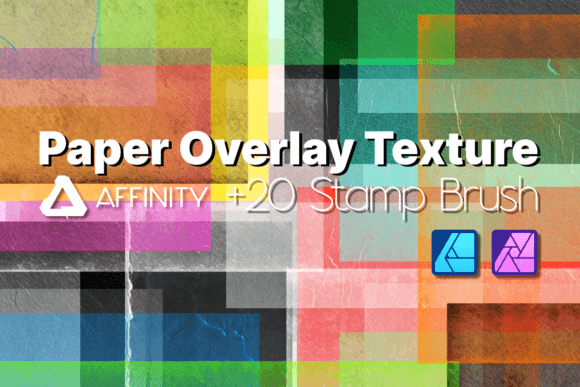
Affinity Brushes Paper Textures - Stamps: Elevate Your Digital Art
In the world of digital design, achieving that authentic, tactile feel can be a challenge. We spend hours trying to replicate the warmth and character of physical materials on a screen. This is precisely where the Affinity Brushes Paper Textures - Stamps pack steps in, offering a bridge between the digital and the tangible. It’s not just another set of tools; it’s a comprehensive solution for designers and creators who want to infuse their work with the nuanced beauty of real paper. This pack is designed for Affinity Designer and Affinity Photo, providing over 20 meticulously crafted brushes that deliver stunning, high-quality textures with a simple click and drag.
Understanding the Visual Character and Appeal
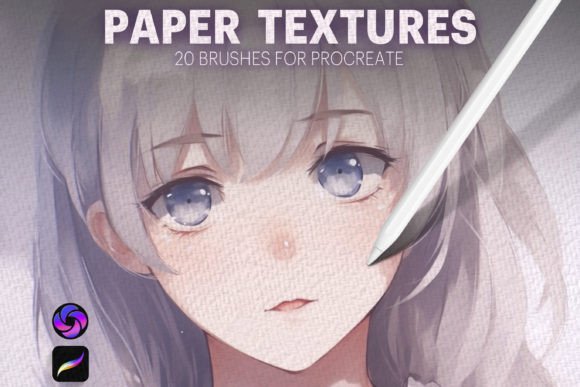
The core personality of this brush pack is one of subtle sophistication and versatility. The textures themselves are drawn from a variety of paper sources—you’ll find the soft grain of watercolor paper, the subtle tooth of drawing stock, the slight imperfections of recycled sheets, and the smooth finish of premium print paper. Each brush in the Affinity Brushes Paper Textures - Stamps collection is a stamp, meaning you apply it as a complete texture layer rather than painting it on stroke by stroke. This method ensures a consistent, controlled application every time.
Visually, the appeal lies in the details. The textures are high-resolution, meaning they hold up beautifully when scaled for large prints or detailed digital work. The edges are clean, and the tonal variations are realistic, avoiding that overly digital or repetitive look. The default setting of having wet edges turned off is a crucial design choice. It gives you, the creator, a clean slate to work from, allowing you to apply the texture and then decide exactly how it interacts with your artwork through blend modes and opacity adjustments. This puts you in full creative control, letting the texture support your design rather than dominate it.
Practical Applications Across Creative Projects
Where does a tool like the Affinity Brushes Paper Textures - Stamps pack truly shine? Its applications are broad, making it a valuable asset for a wide range of professionals and hobbyists. For graphic designers working on brand identity, these textures can add depth to logo presentations, business cards, and letterheads, lending a handcrafted, premium feel to a brand’s visual language. Marketers and content creators can use them to elevate social media graphics, making Instagram posts or Pinterest pins stand out with a unique, organic background that catches the eye.
In publishing, whether for a digital magazine, a blog header, or the cover of an indie novel, these paper textures provide an instant editorial quality. They can set a mood—nostalgic, rustic, elegant, or minimalist—depending on which texture you choose and how you apply it. For illustrators and digital artists, the pack is a game-changer. It allows you to layer your illustrations over a realistic paper base, instantly adding warmth and context. Imagine a children’s book illustration on a textured cream paper, or a vintage-style travel poster on a lightly aged sheet. The effect is immediate and professional.
Even for personal projects, the value is clear. Crafters creating digital invitations, hobbyists designing printable wall art, or small business owners making product packaging can all benefit. The ease of installation on Mac, PC, and iPad, coupled with the straightforward application process, means you can start transforming your projects in minutes, not hours. The brushes are designed to integrate seamlessly with any color palette, ensuring they complement your existing creative vision rather than clash with it.
Integrating Textures into Your Design Workflow
Adopting any new design asset requires a bit of strategy. To get the most out of the Affinity Brushes Paper Textures - Stamps, consider a few practical steps. First, start with the end in mind. Are you aiming for a subtle background texture that adds depth without distraction, or a bold, foreground element that defines the piece? This will guide your choice of brush and your opacity settings.
Next, experiment with blend modes. This is where the magic happens. Applying a texture in "Multiply" mode will darken the image, perfect for simulating ink on paper. "Screen" will lighten it, ideal for a subtle, light wash effect. "Overlay" or "Soft Light" can create a balanced integration, marrying the texture with your underlying colors and shapes. Don’t be afraid to stack textures or adjust the contrast of your texture layer to achieve the exact effect you need.
When it comes to font pairing and overall design cohesion, the paper texture acts as a unifying element. A rough, gritty texture might pair well with a strong, geometric sans serif font for a modern, edgy look. A smooth, linen-like texture could complement an elegant serif or a flowing script font for a more classic, refined aesthetic. Think of the texture as part of the environment in which your typography and graphics live. It influences readability, so ensure your text remains legible by maintaining sufficient contrast and clarity over the textured area.
For commercial projects, always review the licensing. The Affinity Brushes Paper Textures - Stamps pack is designed for both personal and commercial use, giving you the freedom to use your enhanced creations in client work, products for sale, and marketing materials without worry. This makes it a smart investment for any creative professional looking to expand their toolkit with high-quality, versatile design assets.
Ultimately, the goal of any premium font or texture pack is to solve a problem and enhance your creative output. This brush set does exactly that by removing the friction from adding professional, tactile depth. It empowers you to focus on your ideas and your message, knowing you have the tools to present them with the visual richness they deserve. Whether you’re refining a brand’s typeface application, designing packaging, crafting social media graphics