Creating Realistic Chains with Magic Chain Brushes Vol.1
In the world of digital illustration and logo design, texture and detail often separate a flat sketch from a professional masterpiece. While we spend hours perfecting typography and layout, specific elements like jewelry, hardware, or ornate trims are notoriously difficult to draw from scratch. This is where specialized design assets become invaluable. If you have ever struggled to draw the intricate links of a necklace or the texture of a metal chain, you know how tedious vector work can be. Enter Magic Chain Brushes Vol.1 for Procreate, a specialized toolkit designed to streamline this process entirely.
Unlike traditional premium font or brush packs that focus solely on text, this collection targets the illustrative side of brand identity. It provides a tactile, realistic approach to drawing chains that saves time and elevates the final product. Whether you are a graphic designer working on a jewelry logo, a hobbyist creating digital art, or a content creator designing merchandise, this set offers a practical solution to a complex design problem.
The Anatomy of the Brush Set
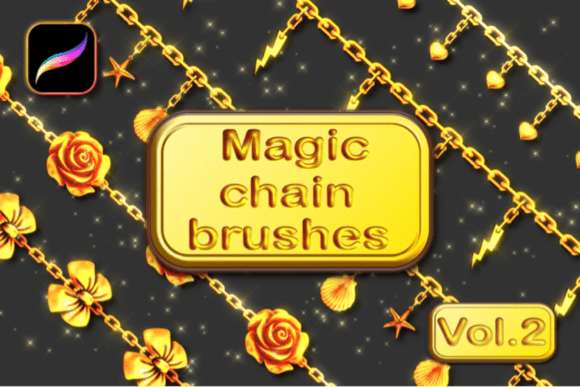
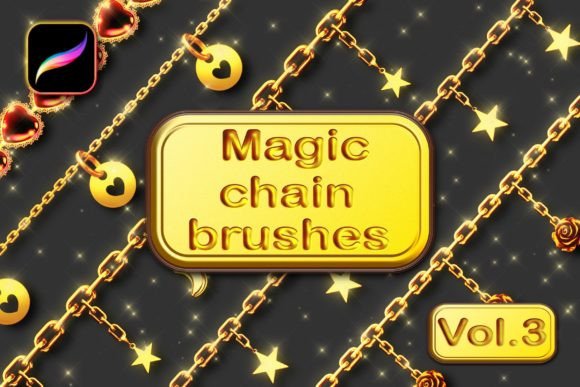
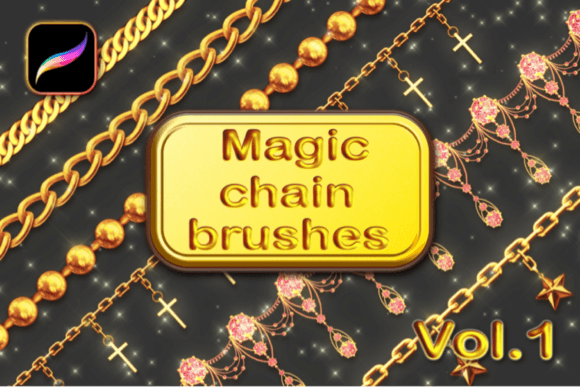
At its core, the Magic Chain Brushes Vol.1 for Procreate is a curated collection of 15 distinct tools. However, the real value lies in the variety and technical application of these assets. You receive 13 chain brushes, which range from fine, delicate links suitable for elegant necklaces to heavy, industrial chains often seen in streetwear branding or biker aesthetics. The remaining two brushes are sparkling glitter tools, adding that final touch of glamour or metallic sheen.
One of the standout features of this collection is the opacity and realism. Many digital brushes look stamped on; they lack depth. These brushes, however, are designed to interact with light and shadow naturally. Furthermore, they are color changeable. This is a crucial feature for anyone involved in packaging design or social media graphics, where color consistency with a specific brand identity is non-negotiable. By utilizing the Gradient Map feature in Procreate, you can shift the metallic tone from gold to rose gold, silver, or even anodized colors without losing the realistic texture of the links.
Setting Up for Success
To get the most out of these tools, a specific workflow is required. The brushes rely on Procreate’s Primary and Secondary color dynamics. This means you aren't just painting a single flat color; you are painting with two tones simultaneously to create that metallic depth. This is similar to how a serif font or sans serif font might use varying stroke weights to create visual interest, but applied to a raster illustration context.
Additionally, the creator emphasizes the need to turn on "Dynamic brush scaling." For designers, this is a technical nuance that makes a massive difference. It ensures that as you resize the brush for different projects—whether it’s a small icon for a website or a large banner for editorial design—the chain links maintain their proportional detail. Without this, the links might look blurry or pixelated, breaking the illusion of realism.
Strategic Applications in Modern Design
How does a chain brush fit into modern web design or marketing materials? The applications are more diverse than they initially appear. For entrepreneurs and small business owners in the fashion or accessories niche, these brushes allow for the creation of custom illustrations that look like high-end renders, without the need for 3D software.
Consider the impact on brand perception. A jewelry brand using clipart chains looks generic. A brand using custom-drawn chains that wrap dynamically around text or products looks established and premium. You can use these brushes to create borders for flyers, underline text in digital print layouts, or create intricate patterns for backgrounds. The glitter brushes, specifically, are excellent for seasonal marketing campaigns, holiday sales, or beauty brand aesthetics where a touch of sparkle increases audience engagement.
Integrating with Typography
While this set focuses on illustration, it pairs beautifully with strong typography. Imagine a bold display font for a headline, with a realistic chain brush weaving through the letters. This technique creates a powerful visual hierarchy. It draws the eye immediately to the focal point of the design.
When selecting fonts to pair with these brushes, consider the weight. A heavy industrial chain pairs well with a thick, blocky sans serif font or a grunge handwritten font. Conversely, a delicate, fine-link chain brush complements an elegant script font or a refined serif font. This interplay between the "font" (the chain) and the actual typography creates a cohesive visual language that speaks to professionalism.
Practical Workflow and Technical Considerations
For those ready to implement Magic Chain Brushes Vol.1 for Procreate, the installation process is straightforward but specific. It is important to note that this is an Apple iPad-exclusive product designed exclusively for the Procreate app. It will not function in Adobe Photoshop or Illustrator. This specificity ensures that the brushes are optimized for the iPad's touch interface and Apple Pencil pressure sensitivity.
The included PDF tutorial and YouTube video are essential viewing, even for experienced users. They explain the nuances of the Gradient Map, which is the secret sauce for changing colors realistically. Simply painting over the chain with a new color often results in a muddy look. Using the Gradient Map preserves the highlights and shadows of the original brush, ensuring the metal looks like metal, regardless of the hue.
Evaluating Project Fit
Before purchasing any design assets, it is wise to evaluate the fit for your current project load. If your work involves heavy illustration, character design, or product mockups for accessories, this is a high-value addition to your toolkit. If your work is strictly text-based editorial design or minimalist web design, you may use it less frequently, though it remains a powerful tool for special projects.
Ultimately, Magic Chain Brushes Vol.1 for Procreate represents a shift toward specialized, high-quality digital tools that mimic real-world textures. It empowers creatives to produce work that feels tactile and luxurious, bridging the gap between digital convenience and handcrafted quality. For the designer looking to add a new dimension of realism to their portfolio, this collection offers a distinct advantage.