Script Brushes for Illustrator: Natural Ink and Watercolor Effects
Every designer knows the feeling of searching for that perfect, organic texture to elevate a project. Digital perfection is useful, but it often lacks the warmth and humanity of a hand-crafted element. This is where high-quality digital assets become invaluable. A set of Script Brushes for Illustrator offers a solution, providing the authentic look of hand-painted strokes without the mess or the need for advanced artistic skills. These are not mere filters or effects; they are meticulously crafted tools designed to bring a tangible, artistic quality to your vector work.
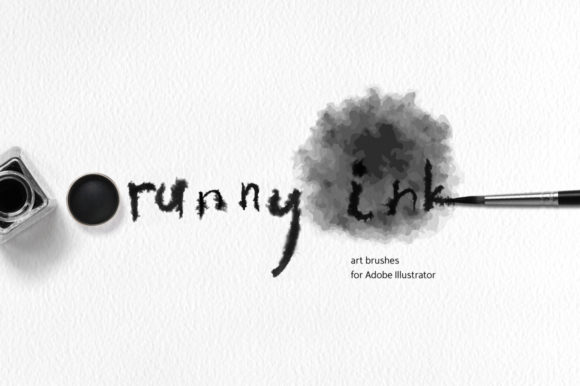
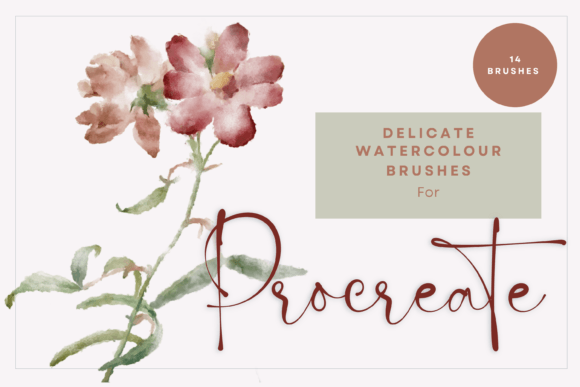
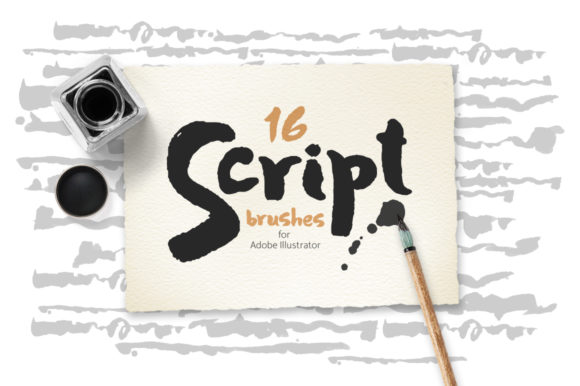
This particular collection is built from real ink and watercolor brush strokes, digitized and converted into versatile vector art brushes. The result is a set of 16 brushes that capture the subtle variations, transparent gradations, and natural flow of actual media. Unlike brushes that rely on complex blending modes, these use simple, transparent color gradations. This makes them incredibly versatile, allowing you to apply them over any background color or texture with predictable, beautiful results. The appeal is in their realism and detail—they look and behave like genuine paint on paper, offering a sophisticated and organic aesthetic.
Practical Applications for Designers and Creators
The true value of any design asset is measured by its utility. These Script Brushes for Illustrator are not a one-trick pony. Their style makes them suitable for a wide array of projects, from commercial branding to personal art. Think about creating a distinctive logo for a boutique bakery or a wellness brand. The hand-painted quality immediately conveys authenticity, care, and a personal touch. For social media graphics, these brushes can help your posts stand out in a crowded feed, adding a layer of artistic flair that static shapes and standard fonts cannot achieve.
Beyond logos and social media, consider their use in editorial design and packaging design. A magazine layout can use these strokes as decorative dividers, pull-quote accents, or textured backgrounds. For product packaging, they can add an artisanal, high-end feel to labels and boxes. Web designers can integrate them into hero images or as subtle, animated elements to guide the user's eye. For bloggers and content creators, they are perfect for crafting unique headers, illustrations, and digital art pieces. The included file formats—AI, EPS, SVG, JPG, and PNG—ensure they are ready for almost any workflow, whether you are working in Adobe Illustrator, another vector program, or even for print.
Integrating Brushes into Your Design Workflow
Adopting new tools should streamline your process, not complicate it. These brushes are designed for ease of use. Once loaded into your Illustrator brush panel, you simply select a brush and draw. Because they are vector-based, every stroke is fully editable. You can adjust the stroke weight, change the color, and reshape the path after the fact. This non-destructive workflow is crucial for professional work where revisions are common. The brushes are compatible with Adobe Illustrator 10 and higher, making them accessible to a wide range of users.
When using them, think about visual hierarchy. A bold, textured brushstroke can serve as a powerful headline element or a call-to-action button. A more delicate stroke can underline text or create subtle emphasis. Pairing these organic shapes with clean, modern serif fonts or sans serif fonts creates a compelling contrast. For instance, a flowing script brush used as a background element can make a simple, geometric typeface pop. This kind of thoughtful font pairing and asset combination is what separates good design from great design, helping to build a strong and recognizable brand identity.
Before committing to a final design, it’s wise to test how the brushes interact with your chosen color palette and typography. Apply them to mockups of your intended application—be it a website header, a business card, or a social media post. This real-world testing ensures the creative font elements enhance rather than overwhelm your core message. The transparency of the brushes means they will blend seamlessly, but always check for readability, especially when placed over text. Their strength lies in adding personality and texture, supporting your main content rather than competing with it.
For entrepreneurs, marketers, and small business owners, investing in a set of premium font brushes like this is about efficiency and professionalism. It provides a library of consistent, high-quality design assets that can be used across all your marketing materials, ensuring a cohesive look. Whether you are designing a website, creating promotional flyers, or developing product art, having these brushes at your disposal saves time and elevates the perceived quality of your brand. They are a practical tool for anyone looking to incorporate the timeless appeal of handcrafted artistry into a modern digital context.